Open-source companion device · ESP32-S3

A companion device,
on a round
AMOLED board.

Oriole turns the Waveshare ESP32-S3-Touch-AMOLED-1.75C into a dedicated companion device: a Gemini voice assistant, eleven clock faces (including a custom Photo face), your phone's notifications, calls and music, and thirteen apps, all drawn at 60 frames a second.

60frames per second
11clock faces
13apps
466²AMOLED pixels
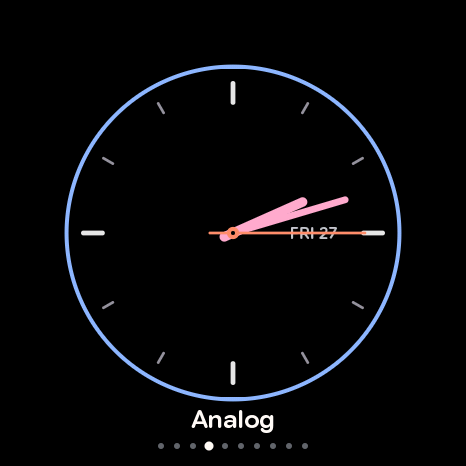
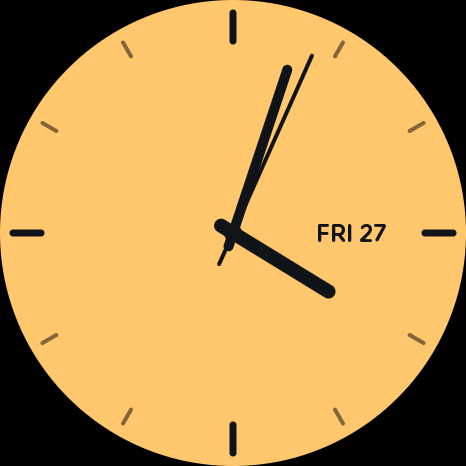
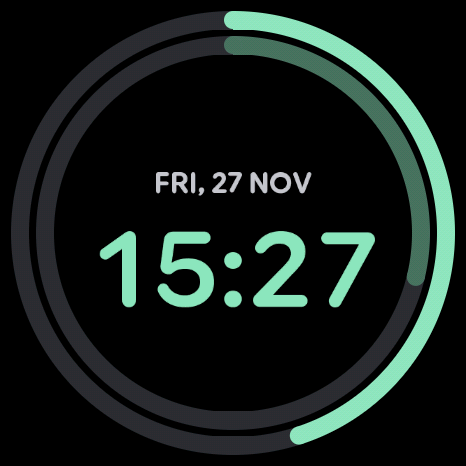
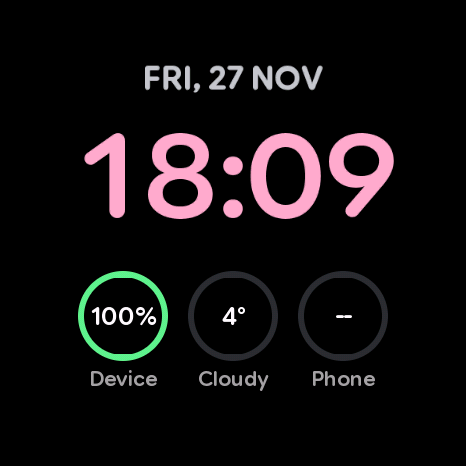
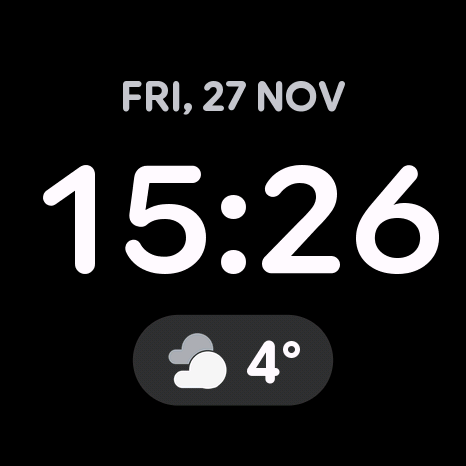
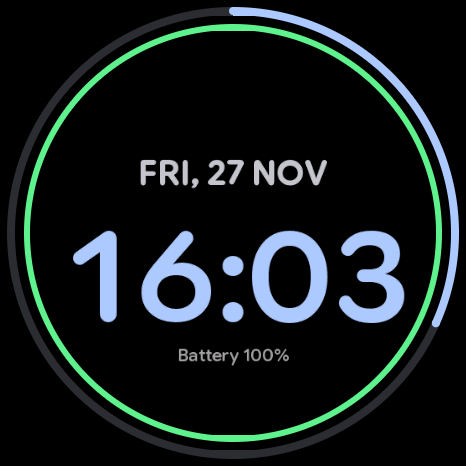
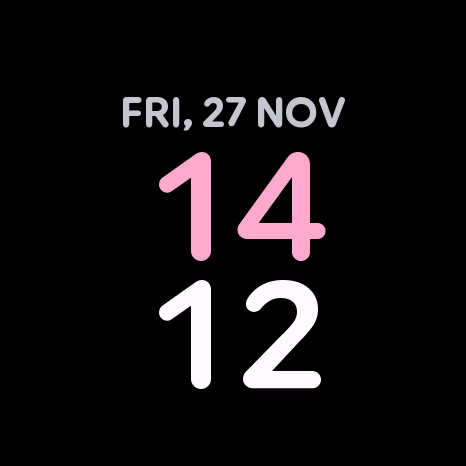
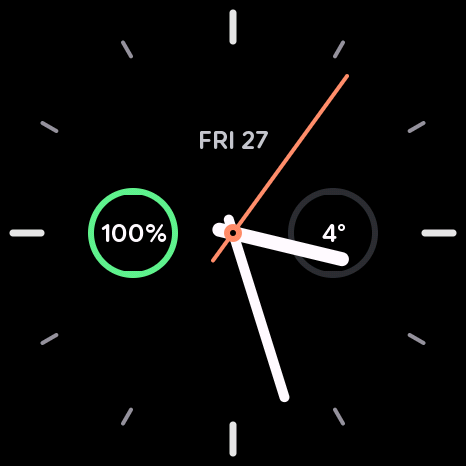
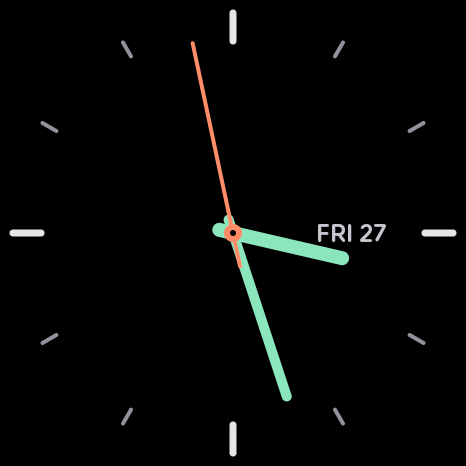
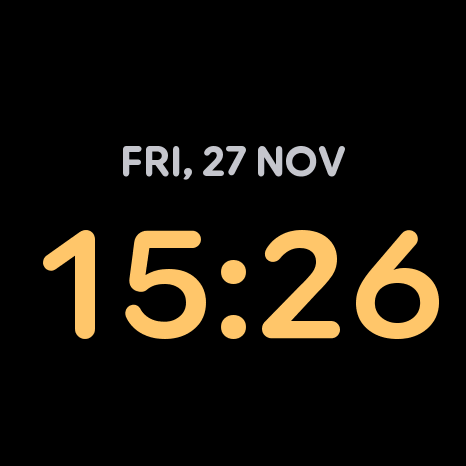
The Accent clock face The Concentric clock face The Modular clock face The Classic clock face The Arcs clock face The Stacked clock face The Utility clock face The Analog clock face
Now showingAccent
01 · Clock faces

Ten faces. Long-press to change.

Every digit rolls in like a mechanical counter. Pick a clock color, let night mode turn it a dim red after dark, and when set aside it fades to an Always On clock and sleeps until you pick it up.

Classic face
Classicdate · clock · weather
Simple face
Simpledate and clock
Time only face
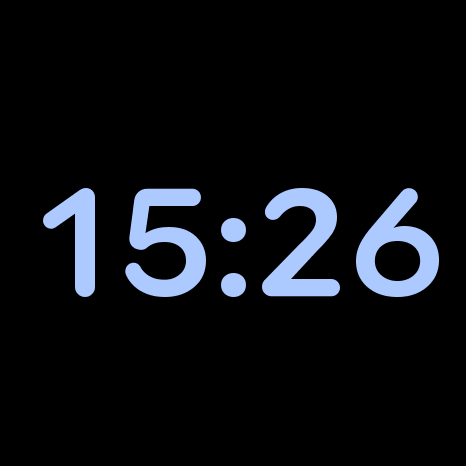
Time onlynothing else
Analog face
Analogticking seconds
Stacked face
Stackedhours over minutes
Arcs face
Arcsseconds · battery
Concentric face
Concentrictime as rings
Accent face
Accentfull-color analog
Modular face
Modularthree dials
Utility face
Utilityanalog with dials
02 · Around the face

Everything is one swipe away.

The face sits in the middle of everything, the way it does on Wear OS. Transitions follow your finger and spring back like the real thing.

↓ Swipe down
Notifications
Messages (2)See you at seven
Mail (3)Your order has shipped
Clear allhere and on the phone

Notifications

Grouped by app. Clear them here and they're gone from your phone too.

→ Swipe right
Quick settings

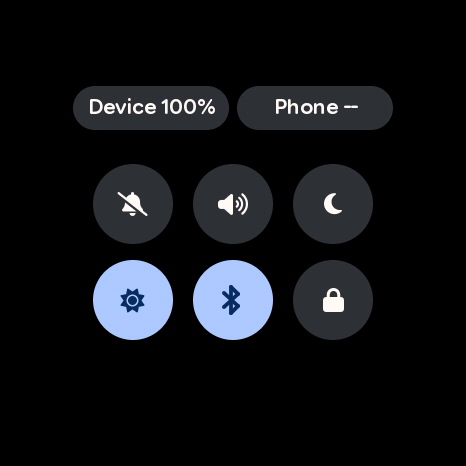
Quick settings

Both batteries, Do Not Disturb, mute, night mode, brightness, Bluetooth. Long-press for more.

The Analog clock face
← Swipe left
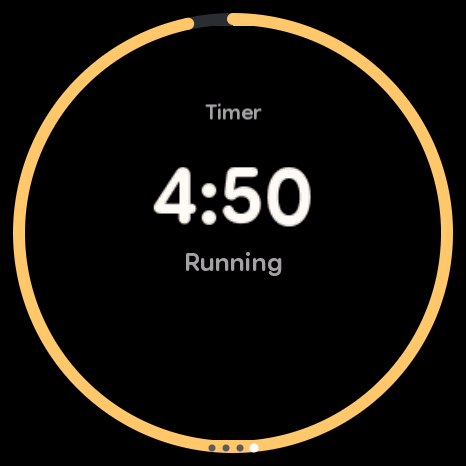
The Timer tile

Tiles

Weather, your next event, what's playing and the timer, a page each.

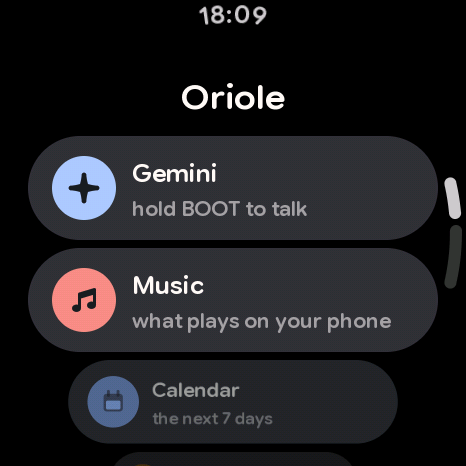
The app list
↑ Swipe up

All apps

Cards that shrink at the edge of the circle and fly with your finger.

03 · Gemini

Hold BOOT.
Ask. Let go.

The answer is spoken right from the device. Oriole streams your voice to Gemini Live over Wi-Fi and plays the reply as it arrives, so it feels like a conversation, not a request.

  • AnywhereWorks from any screen, even from Always On.
  • InterruptPress again while it talks to ask something else.
  • SearchAnswers can use Google Search for news, scores and facts.
  • HistoryEvery question and answer, kept on the device.
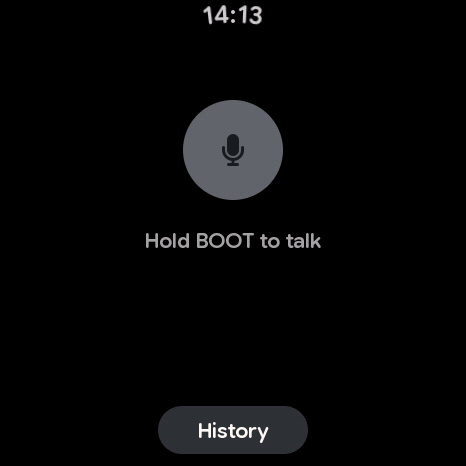
The Gemini screen
04 · Phone

Your phone,
always at hand.

Works with both iPhone and Android over Bluetooth. On iPhone, pair once in Bluetooth settings with no app needed. On Android, switch Bluetooth name to Bangle.js Oriole in Settings → Bluetooth and connect with Gadgetbridge (F-Droid or Bangle.js Gadgetbridge on Google Play).

  • NotificationsA banner and a chime as they arrive, grouped by app, with two-way clear.
  • CallsFull-screen incoming call overlay with Answer and Decline on iPhone and Android.
  • FindRing your Android phone from Oriole, or ring Oriole from Gadgetbridge.
  • MusicWhat's playing, with play, pause, skip, progress and volume.
  • Time & batteryThe clock and time zone follow your phone, with iPhone battery level.
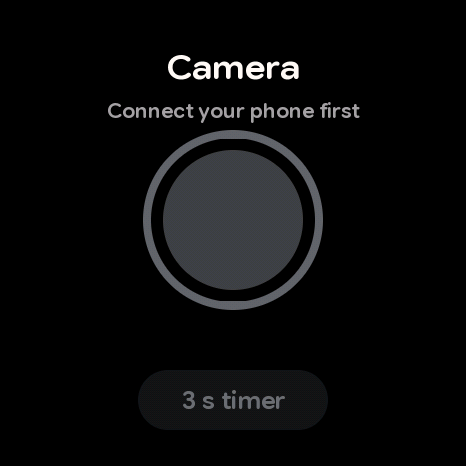
  • CameraA remote shutter for your phone's Camera app, with a three-second timer.
The Camera remote
05 · Apps

Thirteen apps, made for a circle.

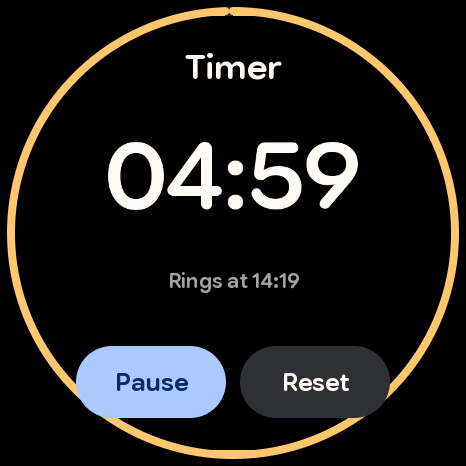
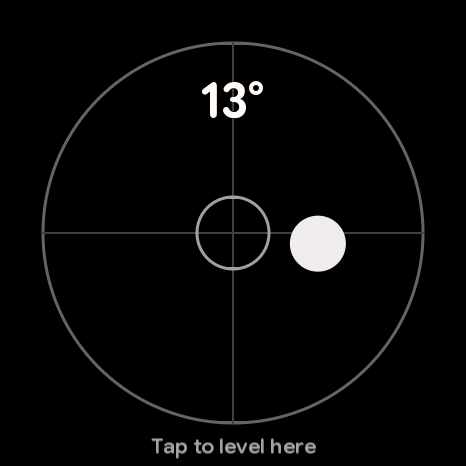
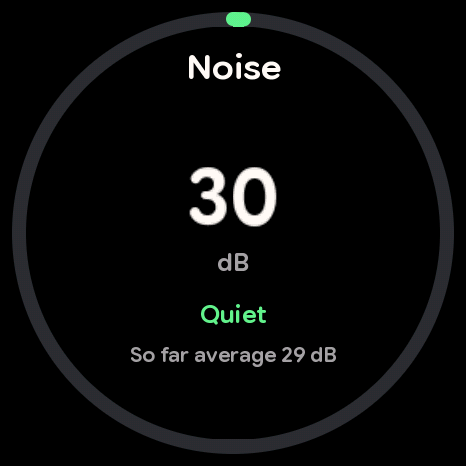
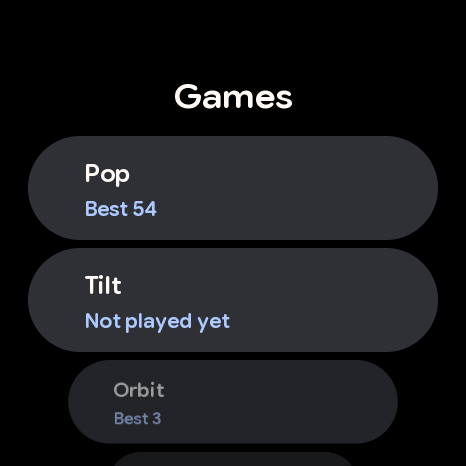
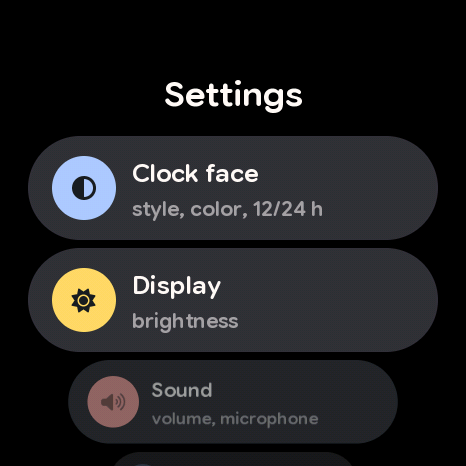
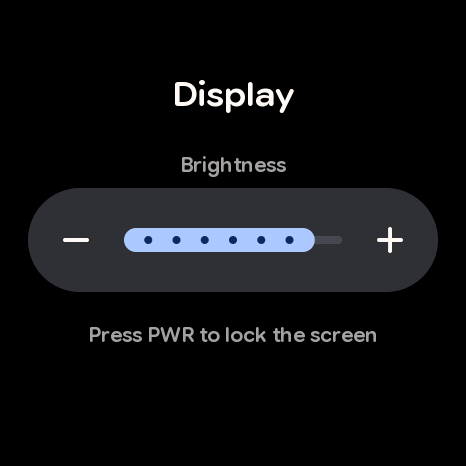
Every screen is laid out for the round display, from the timer's countdown ring to a bubble level that uses the motion sensor.

Timer
Timer
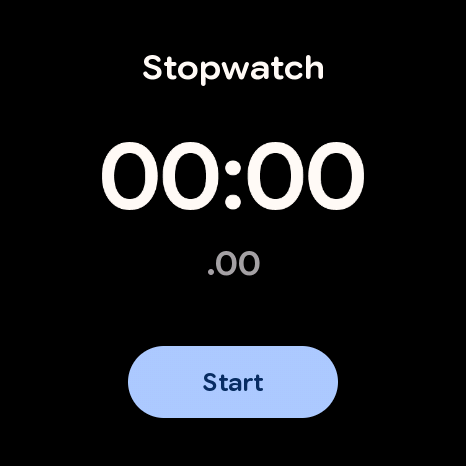
Stopwatch
Stopwatch
Level
Level
Noise
Noise
Games
Nine games
Settings
Settings
Display settings
Display
The face picker
Face picker
Calendar · private iCal linkWeather · the week, sunrise, moonWorld clock Home AssistantMusicCamera
06 · Under the hood

Built from scratch, for one board.

No LVGL, no graphics library: Oriole has its own display and touch drivers and its own UI library, tuned for this exact screen and chip.

60 fps

No dropped frames, no tearing: frames are timed to the display's refresh signal.

1–4 ms

A new minute redraws 1–2% of the screen. Only what changed is drawn and sent.

2 cores

Both cores draw every frame, each its own half, finishing together.

~30 ms

From asleep to a picture. Light sleep keeps everything in memory.

Springs

Motion follows the open-source Compose for Wear OS, solved exactly at any frame rate.

Web setup

Wi-Fi, keys and updates from a browser page over USB. No app, no rebuild.

ProcessorESP32-S3 · 2 × 240 MHz
Memory8 MB PSRAM · 32 MB flash
Screen1.75″ AMOLED · 466 × 466
TouchCST9217
SoundSpeaker · two microphones
MotionQMI8658 accel + gyro
RadioWi-Fi 2.4 GHz · Bluetooth LE
PowerAXP2101 · Li-ion · USB-C
07 · Install

Up and running in three steps.

You need the Waveshare ESP32-S3-Touch-AMOLED-1.75C, a USB-C cable, and Chrome or Edge on a computer.

Plug in the device

Connect it to your computer and open the web controller.

Install Oriole

Tick Fresh install and press Update firmware. It takes about a minute, right in the browser.

Set it up

Connect, add your Wi-Fi and a free Gemini key, then pair your phone (Bluetooth settings on iPhone, or Gadgetbridge on Android).